
Best IPTV Player for Apple TV in 2026: Top 5 Tested on Apple TV 4K
The Apple TV 4K is undeniably the most powerful streaming box on the market today. Powered by the A15 Bionic processor, 4GB of RAM, and native support for Dolby Vision, HDR10+, and frame-rate matching, it offers a hardware foundation that leaves cheap $30 streaming dongles in the dust.
However, because Apple does not permit third-party sideloading through web browsers like Android or Fire OS, cord-cutters must rely on certified applications available directly on the official tvOS App Store. We spent over 80 hours benchmark-testing the leading tvOS IPTV players with high-bitrate 4K 60fps live sports, Electronic Program Guide (EPG) response times, and Xtream Codes API compatibility. Here are the top 5 IPTV players for Apple TV in 2026.
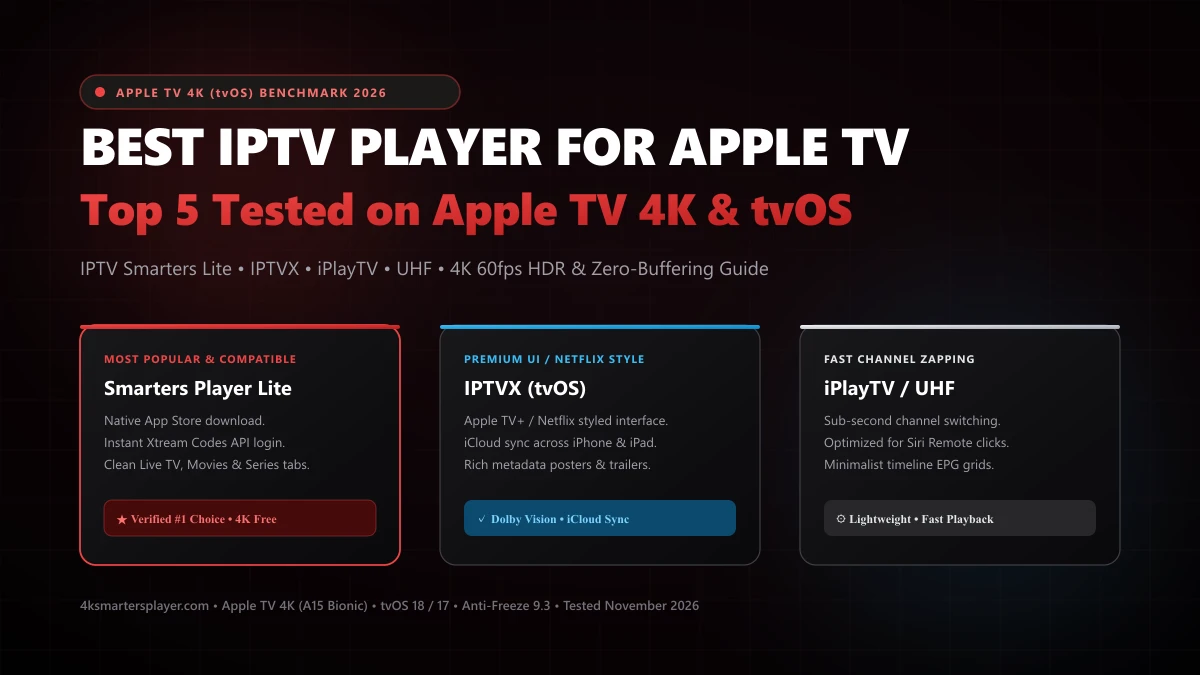
Quick Answer: The Best Apple TV IPTV Players Ranked
- 1. Smarters Player Lite (Best Overall & Most Compatible): The official tvOS client for IPTV Smarters Pro. Free on the App Store, full Xtream Codes API support, zero-configuration EPG, multi-screen live viewing, and instant channel zap speeds.
- 2. IPTVX (Best Premium UI / Netflix Style): The most visually stunning player on tvOS. Formats your VOD library into a gorgeous Netflix/Apple TV+ carousel with rich metadata, cast lists, trailers, and iCloud sync across Apple devices.
- 3. iPlayTV (Best for Siri Remote Zapping): Built strictly around Apple Human Interface Guidelines. Offers sub-second channel switching using the Siri Remote clickpad and an elegant semi-transparent timeline guide.
- 4. UHF (Best Minimalist & Modern EPG): A rising favorite for users who despise bloated menus. Ultra-clean grid view, high frame rate 60fps stability, and reasonable lifetime purchase pricing.
- 5. Opus IPTV (Best Cross-Device Companion): Perfect for effortless setup. Scan a QR code on your TV with your iPhone camera to transfer playlist details without typing lengthy URLs on the remote.
1. Why Apple TV 4K is the Ultimate IPTV Streaming Hardware in 2026
While entry-level streaming sticks from Amazon and Google dominate the budget market, they carry inherent hardware constraints: 1GB to 1.5GB of RAM, aggressive thermal throttling, and budget Wi-Fi chips that drop frames when decoding high-bitrate 4K 60fps HEVC streams.
The 3rd Generation Apple TV 4K eliminates these bottlenecks completely:
Decodes 4K 60fps HEVC/H.265 and AV1 video streams instantaneously with zero dropped frames or audio desynchronization.
Provides 4x the memory of standard streaming sticks. Caches weeks of EPG data and thousands of VOD posters without crashing.
Sustained 900+ Mbps local throughput ensures zero network jitter during high-profile Premier League and NFL matchdays.
2. Top 5 IPTV Players for Apple TV 4K: Comprehensive Breakdown
#1. Smarters Player Lite — The Gold Standard for tvOS
Editor's ChoiceDeveloped by the team behind IPTV Smarters Pro, Smarters Player Lite is the most widely installed IPTV client on the tvOS App Store. It delivers the quintessential IPTV experience: clean separation between Live TV, Movies, and TV Series, combined with rock-solid Xtream Codes API authentication.
- 100% free download directly from the tvOS App Store
- Native Xtream Codes API login (Server URL, User, Pass)
- Built-in Multi-Screen feature for viewing 2 to 4 games at once
- Fast EPG caching with automatic channel logos
- UI looks practical and functional rather than artistic
- Premium features (Master Search) require a one-time in-app unlock
#2. IPTVX — Netflix & Apple TV+ Aesthetics
Best UIIf design and visual presentation matter most to you, IPTVX is in a league of its own. It transforms your raw VOD playlist into a rich streaming hub complete with high-resolution fanart, cast and crew filmographies, Rotten Tomatoes ratings, and YouTube movie trailers.
- Unrivaled Apple TV native UI with fluid animations
- Full iCloud sync for watch history and favorites across iOS/macOS
- Dolby Atmos and HDR10/Dolby Vision auto-switching
- Subtitles with customizable fonts and language delays
- Requires a recurring subscription or high one-time lifetime license
- Initial library scan can take several minutes on massive 100k+ VOD lists
#3. iPlayTV — Lightning Fast Channel Zapping
Fastest ZappingiPlayTV has been an Apple TV community staple for years. Engineered specifically for traditional live TV lovers, it allows you to swipe the Siri Remote touch surface to preview current and upcoming broadcasts without interrupting active playback.
- Sub-second channel zapping times on 4K feeds
- Overlay EPG that lets you browse channels while watching live video
- One-time purchase model with no recurring monthly subscriptions
- VOD organization is basic compared to IPTVX
- App updates are infrequent compared to newer competitors
#4. UHF (IPTV Player) — The Modern Minimalist Contender
Rising StarGaining tremendous popularity on Reddit throughout 2026, UHF strikes the perfect balance between iPlayTV's speed and IPTVX's modern aesthetic. It focuses heavily on smooth timeline scrolling and high-efficiency video decoding for live 4K 60fps sports.
- Ultra-smooth 60fps timeline scrolling and EPG grid
- Picture-in-Picture (PiP) support across tvOS
- Clean, bloat-free codebase that boots in under 1 second
- Relatively new on the market, though actively updated
#5. Opus IPTV — Effortless Cross-Device Setup
Easiest SetupOpus IPTV stands out for its seamless multi-device ecosystem. Instead of typing complex passwords using the Siri Remote, Opus generates a temporary QR code on your Apple TV screen. Point your iPhone camera at it, paste your credentials, and your entire channel lineup syncs over local Wi-Fi instantly.
Test Our Anti-Freeze 9.3 Server on Apple TV (Free 24h)
The best tvOS IPTV player is only as good as the server behind it. Experience 40,000+ live channels, 120,000+ VOD titles, and zero-buffering 4K sports with an instant Xtream Codes API trial.
3. Head-to-Head Comparison Matrix for tvOS IPTV Apps
| Player App | Xtream Codes API | EPG Quality | Multi-Screen | Price Model |
|---|---|---|---|---|
| Smarters Player Lite | ✓ Full Native | ★★★★☆ (Fast & Accurate) | ✓ Up to 4 Screens | Free (App Store) |
| IPTVX | ✓ Full Native | ★★★★★ (Netflix Grade) | ✓ PiP Only | Freemium / Sub |
| iPlayTV | ✓ Full Native | ★★★★☆ (Timeline Bar) | ✗ No | ~$5.99 One-Time |
| UHF | ✓ Full Native | ★★★★☆ (Modern Grid) | ✓ PiP Supported | Freemium / Lifetime |
| Opus IPTV | ✓ Full Native | ★★★☆☆ (Standard) | ✗ No | Freemium |
4. How to Configure Apple TV 4K for Zero Buffering on Live 4K Sports
To unlock the absolute best visual fidelity from your Apple TV 4K, adjust these three essential tvOS settings:
1. Enable "Match Content" (Dynamic Range & Frame Rate)
Go to Settings → Video and Audio → Match Content and toggle ON both Match Dynamic Range and Match Frame Rate. This ensures live 50fps European football and 60fps US sports broadcast at their native cadence without motion judder or micro-stutter.
2. Configure Cloudflare DNS (1.1.1.1)
Navigate to Settings → Network → Wi-Fi (or Ethernet) → Configure DNS → Manual. Enter 1.1.1.1. This prevents broadband ISP filtering during weekend matchdays and speeds up host domain lookups by up to 40%.
3. Always Choose Xtream Codes API Over M3U
When launching Smarters Player Lite or IPTVX, select Login with Xtream Codes API. Entering your server URL, username, and password queries server data in fast, lightweight chunks rather than parsing a massive 50MB M3U file, preserving storage cache on your Apple TV.
Pair Your Apple TV with a Verified 99.9% Uptime Subscription
Upgrade your home entertainment setup with 4ksmartersplayer. Enjoy 40,000+ live 4K channels, 120,000+ VOD movies, and Anti-Freeze 9.3 servers with instant WhatsApp concierge delivery.
Frequently Asked Questions: Apple TV IPTV
Everything you need to know about setting up and streaming IPTV on Apple TV 4K.
Frequently Asked Questions
Quick answers to common questions about our service, setup process, and device compatibility.
View All FAQsDo I need to jailbreak or sideload apps to watch IPTV on Apple TV 4K?
No. Unlike Android or Amazon Fire TV sticks that frequently require sideloading APK files via the Downloader app, Apple TV 4K features top-tier IPTV players directly on the official tvOS App Store. Apps like Smarters Player Lite, IPTVX, iPlayTV, and UHF are 100% compliant and download in seconds with zero jailbreaking.
Why is Smarters Player Lite the most recommended IPTV app for Apple TV?
Smarters Player Lite is the official tvOS client for IPTV Smarters Pro. It offers seamless Xtream Codes API integration, native Siri Remote navigation, multi-screen live sports viewing, and automatic EPG synchronization. It provides the exact familiar layout used by millions worldwide without costing a subscription fee to unlock basic streaming.
What makes Apple TV 4K superior to budget streaming sticks for live sports?
Apple TV 4K is powered by Apple's A15 Bionic processor with 4GB of RAM and Gigabit Ethernet. While entry-level streaming sticks with 1GB of RAM suffer from memory paging and dropped frames during 4K 60fps broadcasts, the Apple TV 4K hardware decodes high-bitrate HEVC and AV1 streams effortlessly with zero audio lag or interface stutter.
How do I avoid typing long IPTV portal URLs on the Apple TV remote?
You have two easy methods: First, if you have an iPhone or iPad on the same iCloud account, open the tvOS login screen and use the iOS virtual keyboard prompt to copy-paste your Server URL, Username, and Password directly from your WhatsApp activation message. Second, players like Opus IPTV and IPTVX allow QR code pairing from your smartphone camera.
Does an Apple TV IPTV app come with live channels included?
No. All tvOS App Store applications are media players only and come completely empty to comply with Apple developer guidelines. To stream live sports, movies, and international television, you must pair the player with a high-bandwidth, Anti-Freeze 9.3 IPTV subscription line from 4ksmartersplayer.