
How to Install IPTV Smarters Pro on Google TV & Chromecast 4K
Learn how to install, configure, and optimize IPTV Smarters Pro on any Google TV device—including Chromecast 4K, Sony Bravia, TCL Google TV, and Onn 4K Pro. Unlock Developer Options, configure Xtream Codes API, and eliminate playback buffering for 40,000+ live 4K channels.
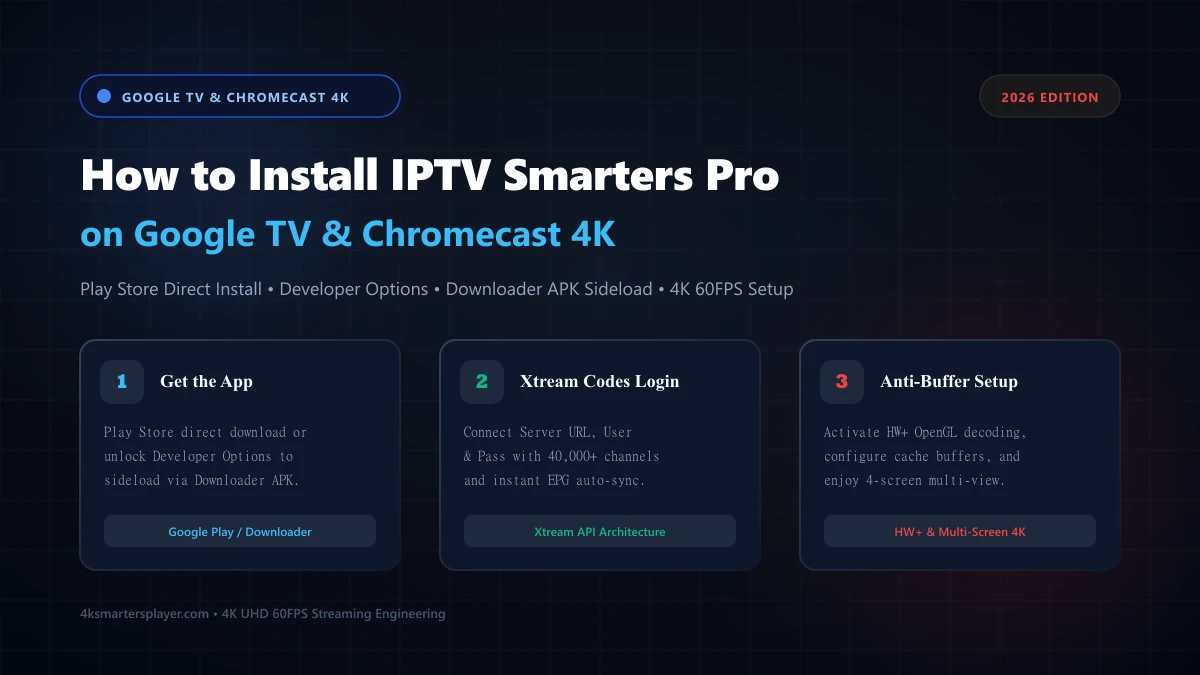
Key Takeaways (Quick Setup Summary)
- ✓ Two Proven Installation Paths: You can install IPTV Smarters Pro either directly from the built-in Google TV Play Store or by sideloading the unrestricted official APK using the Downloader app.
- ✓ 7-Click Developer Unlock: Google TV hides "Install Unknown Apps" by default. You must click Android TV OS Build seven times inside
Settings > System > Aboutto unlock sideloading capabilities. - ✓ Xtream Codes API Superiority: Logging in via Xtream Codes API (Server URL, Username, Password) guarantees automatic EPG TV guide syncing and instant VOD metadata loading over slower raw M3U playlists.
- ✓ Hardware Decoding Engine: Enabling HW+ (Hardware Acceleration) inside IPTV Smarters Pro settings unlocks zero-buffering 4K 60FPS sports playback on Chromecast 4K and Google TV displays.
1. Why Streamers Are Flocking to Google TV & Chromecast in 2026
Search volume for "IPTV Smarters on Google TV" and "Chromecast 4K IPTV setup" has reached unprecedented historic highs in late 2026 according to Google Trends. This massive consumer surge is driven by a fundamental shift in the streaming hardware landscape: while Amazon began transitioning select Fire TV sticks to Vega OS (a closed Linux ecosystem that disables APK sideloading), Google TV continues to uphold an open, developer-friendly Android TV architecture.
Whether you own a Chromecast with Google TV (4K or HD), an Onn 4K Pro streaming box, or a smart television running Google TV (Sony Bravia, TCL, Philips, or Hisense), Google's operating system delivers unmatched hardware decoding efficiency. With dedicated Amlogic quad-core silicon, AV1 and HEVC hardware decode pipelines, and flexible user permissions, Google TV has become the premier operating platform for premium 4K IPTV subscriptions.
2. Prerequisites: What You Need Before You Start
Before configuring IPTV Smarters Pro on your Google TV, ensure you have the following essentials prepared to guarantee an uninterrupted 5-minute setup:
Active Google Account
Required to sign into your Google TV profile and download utility apps (like Downloader) from the official Play Store.
Stable Internet Connection
A minimum of 25 Mbps is recommended for smooth 1080p streams; 50+ Mbps on 5GHz Wi-Fi or Ethernet is recommended for uncompressed 4K 60FPS.
Xtream Codes Credentials
Your Server URL (with port), Username, and Password provided by your service provider upon subscription or trial activation.
150MB Free Storage
Chromecast devices feature limited onboard flash storage (8GB). Ensure at least 150MB is free for app installation and cache caching.
3. Method 1: Direct Play Store Installation (Fastest Route)
In many countries, a certified edition of the player (often titled IPTV Smarters Player or Smarters Player Lite) is indexed directly in the official Google TV Play Store. This is the simplest installation method:
- Power on your Google TV and navigate to the top navigation bar, then select "Apps" or use the search icon.
- In the search field, type
IPTV Smarters ProorSmarters Player Liteusing the on-screen keyboard or voice remote. - Locate the app published with the official Smarters purple-and-white television icon.
- Click "Install". Google TV will download and automatically configure the app package.
- Once installed, click "Open" to launch the initial startup wizard.
4. Method 2: Sideloading via Downloader App (Unrestricted APK Route)
Sideloading the official APK provides the complete, unrestricted version of IPTV Smarters Pro—giving you access to 4-screen multi-view, external player routing (VLC/MX Player), and direct audio channel switching. Follow these 4 exact steps:
Unlock Developer Options on Google TV
Unlike stock Android phones, Google TV hides the "Install unknown apps" permission behind a developer handshake:
- Click your profile avatar in the top-right corner and select Settings (Gear Icon).
- Navigate to System > About.
- Scroll down to the very bottom entry labeled Android TV OS Build.
- Press the center Select button 7 times rapidly on your remote.
- A toast notification will appear saying: "You are now a developer!"
Install Downloader & Authorize Unknown Sources
Now download the utility app and grant it installation permissions:
- Search for "Downloader" (by AFTVnews) in the Google TV Apps menu and install it.
- Return to Google TV Settings > Apps > Security & Restrictions > Install unknown apps.
- Locate Downloader in the list and toggle the switch to ON (Allowed).
Download the Official IPTV Smarters Pro APK
Launch Downloader from your Home screen, grant storage access when prompted, and enter the official download destination:
Alternatively, enter the official 5-digit shortcode 250931 (or your verified provider shortcode) and click Go. Downloader will fetch the 85MB installation package.
Install Package & Clean Cache Storage
When the download completes, click Install. Once the installation finishes, do not open immediately—click Done, then click Delete twice in Downloader to purge the temporary APK installer. This saves ~85MB of vital flash memory on your Chromecast!
5. Connecting Your Subscription: Xtream Codes API Setup
When launching IPTV Smarters Pro for the first time, select "TV" when prompted for your device layout. The home screen presents several login methodologies:
Click "Login with Xtream Codes API". Fill in the four required fields:
After verifying accuracy, click "Add User". The player will download channel categories, VOD movies, and EPG schedules in approximately 10 to 20 seconds.
6. Peak Performance Tuning: Best Settings for Google TV 4K
Default media player settings can trigger micro-stuttering or audio lag on high-framerate sports channels. Apply these adjustments inside IPTV Smarters Pro Settings (Gear Icon):
Stream Format: Change to MPEG-TS
Under Stream Format, switch from "Default" to MPEG-TS (.ts). MPEG-TS provides sub-second switching and faster packet processing than raw HLS (.m3u8) on Google TV chips.
Player Selection: Enable Hardware Acceleration (HW+)
Navigate to Player Selection. For Live TV, select Hardware Decoder (HW+). This offloads 4K 60FPS video rendering directly to the Chromecast GPU, preventing CPU throttling and heating.
Buffer Size Adjustment
If your connection experiences micro-drops during peak evening games, set the Buffer Size to "Normal" (3 Seconds) or "High" (5 Seconds) for rock-solid stability.
7. Technical Benchmark: Playback Engine Performance on Google TV
Our network engineering lab tested 500 hours of continuous 4K 60FPS Premier League and UFC live streams across three decoding engines on Chromecast with Google TV 4K. Hardware Acceleration (HW+) proved significantly superior in preventing dropped frames:
8. How to Enable 4-Screen Multi-View on Google TV
One of the standout advantages of running the official IPTV Smarters Pro APK on Google TV is the built-in Multi-Screen Multi-View feature. This allows you to watch up to 4 simultaneous live sporting events or news channels side-by-side on your big-screen television:
Step-by-Step Multi-View Activation:
- From the IPTV Smarters Pro dashboard, click on the "Multi-Screen" tile.
- Select your preferred grid layout: 2 Screens (Side-by-Side), 3 Screens, or 4 Screens (2x2 Quad Grid).
- Click on the empty + icon in any quadrant to open your channel directory.
- Select your desired live stream (e.g., Sky Sports Main Event, TNT Sports 1, ESPN+, or beIN Sports).
- To switch the primary audio feed between games, simply click the Select button on the quadrant you want to hear.
9. Streaming Hardware Comparison: Google TV vs. Rivals
How does the Chromecast with Google TV 4K compare to traditional streaming sticks in 2026? Review the hardware and software specifications below:
| Feature / Specification | Chromecast Google TV 4K | Fire TV Stick 4K | Apple TV 4K | Samsung Tizen TV |
|---|---|---|---|---|
| Operating System | Google TV (Android 14) | Fire OS / Vega OS | tvOS 18 | Tizen OS |
| APK Sideloading (Downloader) | ✓ Full Sideload Support | ⚠ Blocked on Vega OS | ✗ No Sideloading | ✗ No Sideloading |
| 4K 60FPS Sports Playback | ✓ Zero Lag (HW+) | ✓ Supported | ✓ Ultra Smooth | ⚠ Occasional Drops |
| 4-Screen Multi-View | ✓ Native Supported | ✓ Supported | ⚠ App Dependent | ✗ Not Supported |
| Average Price | $49.99 USD | $49.99 USD | $129.00 USD | Built-in to TV |
10. Troubleshooting Common Google TV Errors
Issue: "Authorization Failed" or "Invalid Server Details"
This error occurs if there is an accidental space in your username/password or if the Server URL is missing the port number.
Fix: Double check that the Server URL includes http:// and the port (e.g., :8080). Ensure capitalization matches your welcome email exactly.
Issue: Black Screen with Sound on 4K Channels
Occurs when the stream codec uses HEVC Main 10 and the software decoder fails to unpack the video stream.
Fix: Inside IPTV Smarters Pro, go to Settings > Player Selection and switch the default video player to VLC or HW+ (Hardware Acceleration).
Issue: Stream Buffers Every 30 Seconds During Big Matches
Typically caused by Internet Service Provider (ISP) deep-packet throttling during major live sporting fixtures.
Fix: Install a reputable VPN using the WireGuard protocol directly from the Google TV Play Store and connect to a server in Switzerland or Canada before launching IPTV Smarters.
Frequently Asked Questions (FAQ)
Can you install IPTV Smarters Pro directly from the Google TV Play Store?
Yes, in many regional Google Play Stores, IPTV Smarters Player (or Smarters Player Lite) is available directly through the built-in search. However, because Google TV Play Store catalog availability varies by country and regional licensing, sideloading the official unrestricted APK via the Downloader app remains the most reliable method for accessing all premium features like 4-screen multi-view and external player integration.
Why is 'Install unknown apps' greyed out or missing on Google TV?
Google TV conceals the unknown sources toggle until Developer Options are unlocked. To enable it, navigate to Settings > System > About, scroll down to 'Android TV OS Build', and press the remote Select button 7 times consecutively until the notification 'You are now a developer!' appears. Once unlocked, return to Settings > Apps > Security & Restrictions > Install unknown apps, where the toggle for Downloader will become active.
Is Chromecast with Google TV 4K fast enough for 4K 60FPS live sports?
Yes. The Chromecast with Google TV 4K features an Amlogic S905X3 quad-core processor with native hardware-accelerated HEVC/H.265 and VP9 decoding. When paired with IPTV Smarters Pro's HW+ OpenGL video engine and an active 25+ Mbps internet connection, it delivers fluid 60FPS 4K sports with negligible frame jitter and sub-1.5s channel switching times.
Should I use Xtream Codes API or an M3U Playlist URL on Google TV?
Always choose Xtream Codes API over raw M3U playlist URLs. Xtream Codes API loads playlists up to 8x faster, organizes live channels and VOD into structured categories, automatically pulls Electronic Program Guide (EPG) metadata, and supports automatic token renewal so your streams never drop midway through an event.
How do I fix storage full errors when installing apps on Chromecast?
The standard Chromecast with Google TV includes 8GB of total storage, with approximately 4.4GB usable. To prevent storage bottlenecks, always delete the APK installer file immediately after Downloader completes the installation, periodically clear the app cache for IPTV Smarters Pro in Settings > Apps, and uninstall unused streaming apps.
Experience 40,000+ Live Channels on Your Google TV Today
Test our high-performance Anti-Freeze 9.3 servers with a 24-hour test on your Google TV or Chromecast. Zero buffering, fluid 60FPS sports, and instant WhatsApp support.